 Add to Chrome, free
 Add to Firefox
Pricing a card
Everything that happens in the price box, before you ever type a number into it.
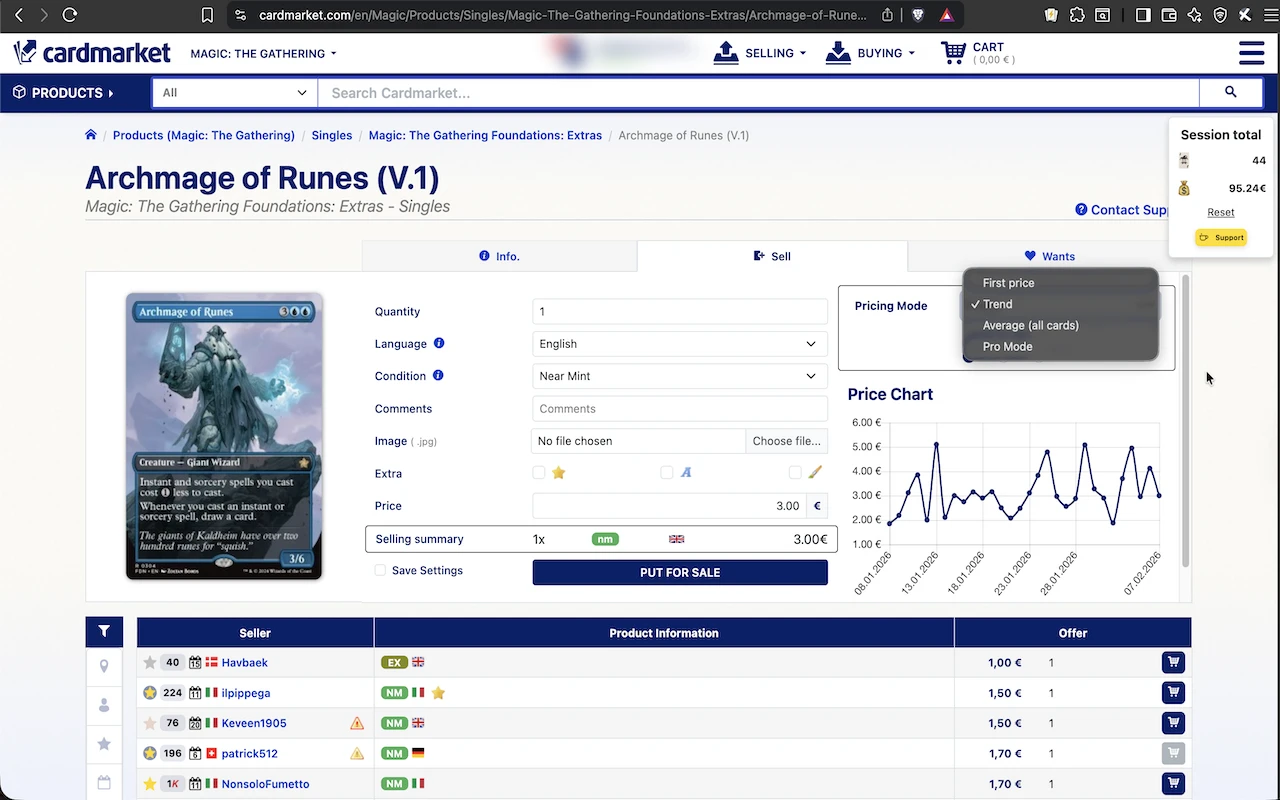
- Price prefill from trend data
- The listing price arrives filled in, taken from the trend over 1, 7 or 30 days. Nothing to copy across from the graph.
- Lowest price or average price
- Choose which number the prefill follows: the lowest listing that matches your filters, or the average of them. Switch whenever your strategy does.
- Pro mode undercutting
- Price yourself just under the first professional or power seller on the page, by a fixed amount or a percentage. Being first in the list is worth more than being cheapest by accident.
- Signed price offsets
- Add or subtract a set amount from whatever the prefill produces. One global default, plus an override per pricing mode when one mode needs a different hand.
- Minimum price floor
- When the trend, lowest or average price lands under your floor, the floor is used instead. Bulk with a two-cent trend stops costing you postage.
Listing in bulk
The parts that matter when you are twenty cards into a shoebox and starting to go on autopilot.
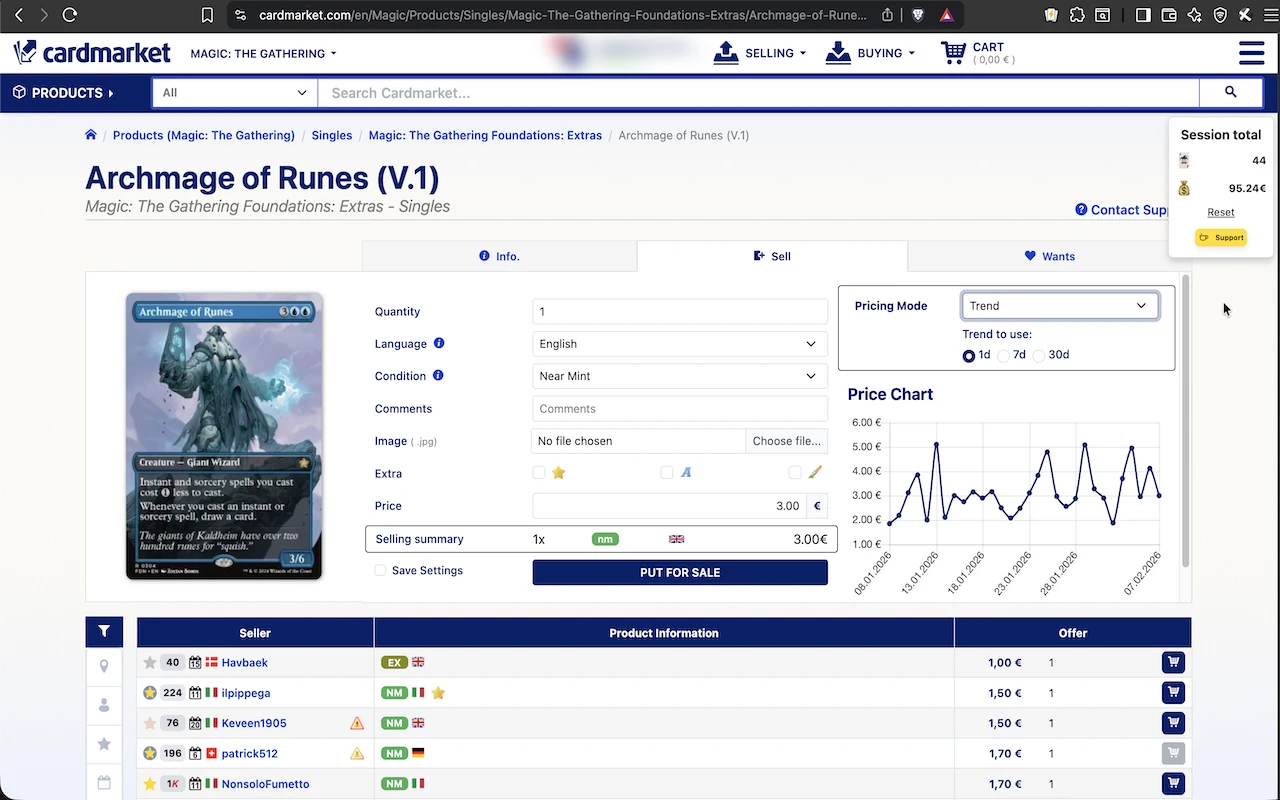
- Summary before you post
- A panel shows the card, the condition, the price and which source that price came from. The last look before the listing is live.
- Session tracker
- A small counter keeps the number of cards you have listed in this session and what they add up to, so you know when the box is done.
- Comment presets
- Keep your standard condition notes, disclaimers and descriptions in a list, then drop one into the comment field in a click.
- Copy your card list
- Export the list you are looking at as text, for sending stock to a teammate or a want list into a trade thread.
Packing an order
Open an order from My Sales or My Purchases and the page turns into something you can work off.
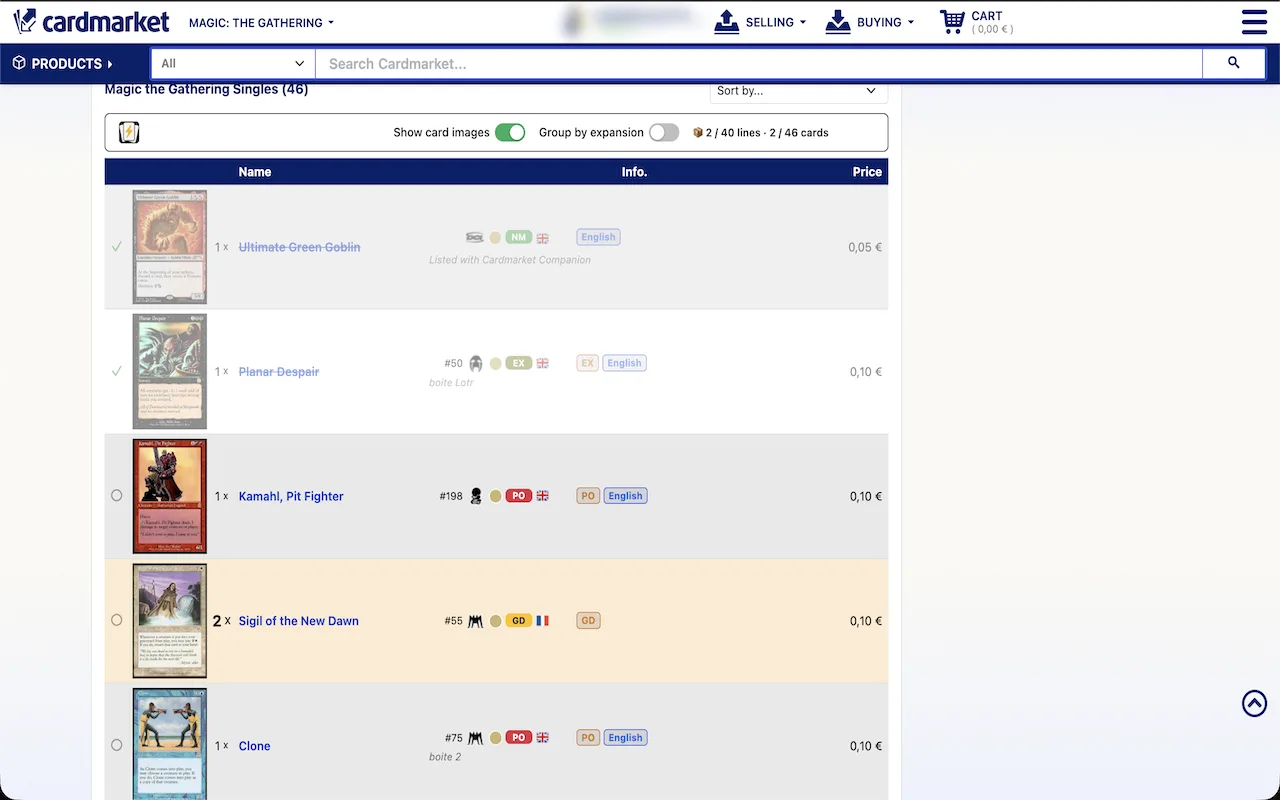
- Tick lines off as you picksince 0.7
- Click anywhere on a line when the card is in the pile. It strikes through, and the counter in the bar shows how many lines and cards are left. The state is saved per order, so an interrupted pack resumes where you left it.
- Quantities you cannot misssince 0.7
- Lines with two to four copies are tinted amber, five or more red. This is the mistake that costs you a refund and a rating, and it is now hard to make.
- Group by expansionsince 0.7
- A switch in the bar above the list reorders the order to match the way your stock is filed, so you walk the binder once instead of hunting up and down the list.
- Condition and language flagssince 0.7
- Cards below Near Mint, or in a language that is not the rest of the order, are marked for a second look before the envelope is sealed.
Buying
The extension is not only for the selling side of the account.
- Estimated shipping cost on listing pages
- See roughly what postage will add before you commit, instead of filling a basket to find the real total. Comparing two sellers stops being a two-minute detour.
Browsing and searching
Card names are not how anybody recognises a card.
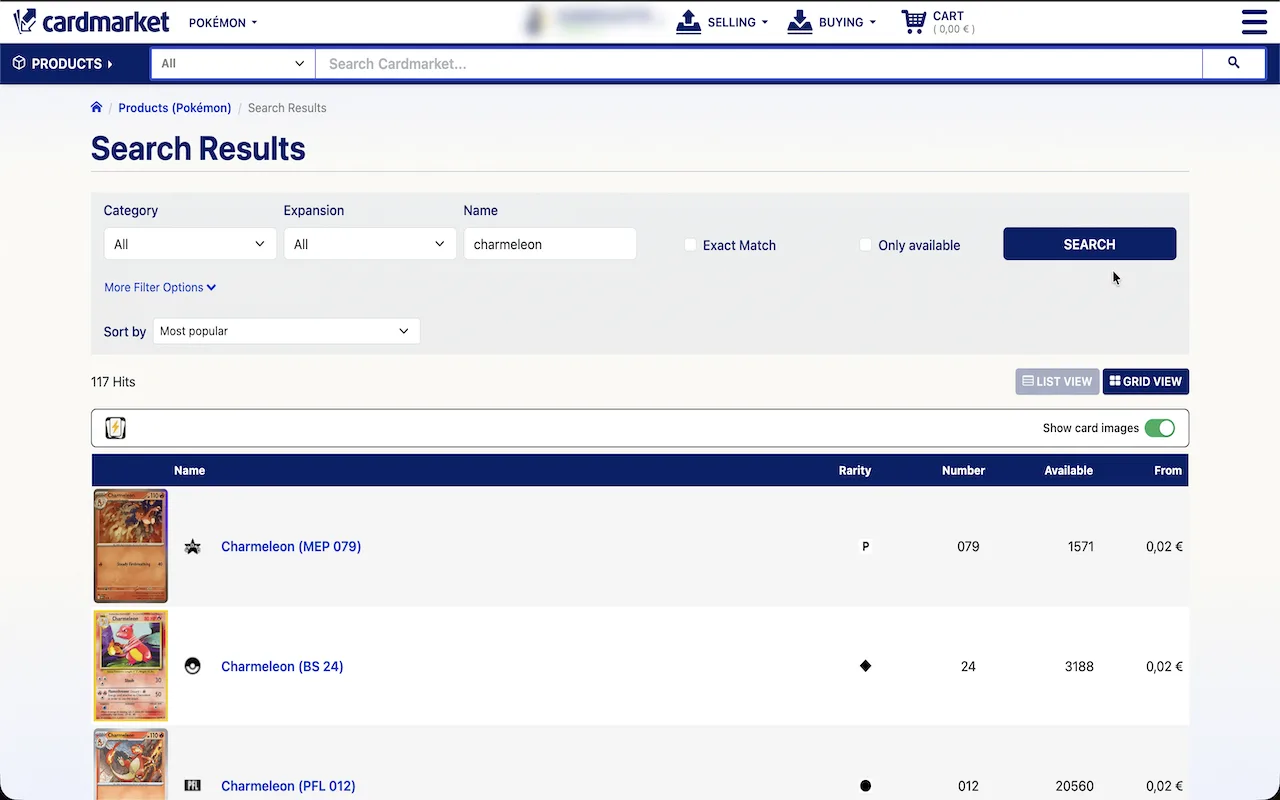
- Real card art in list views
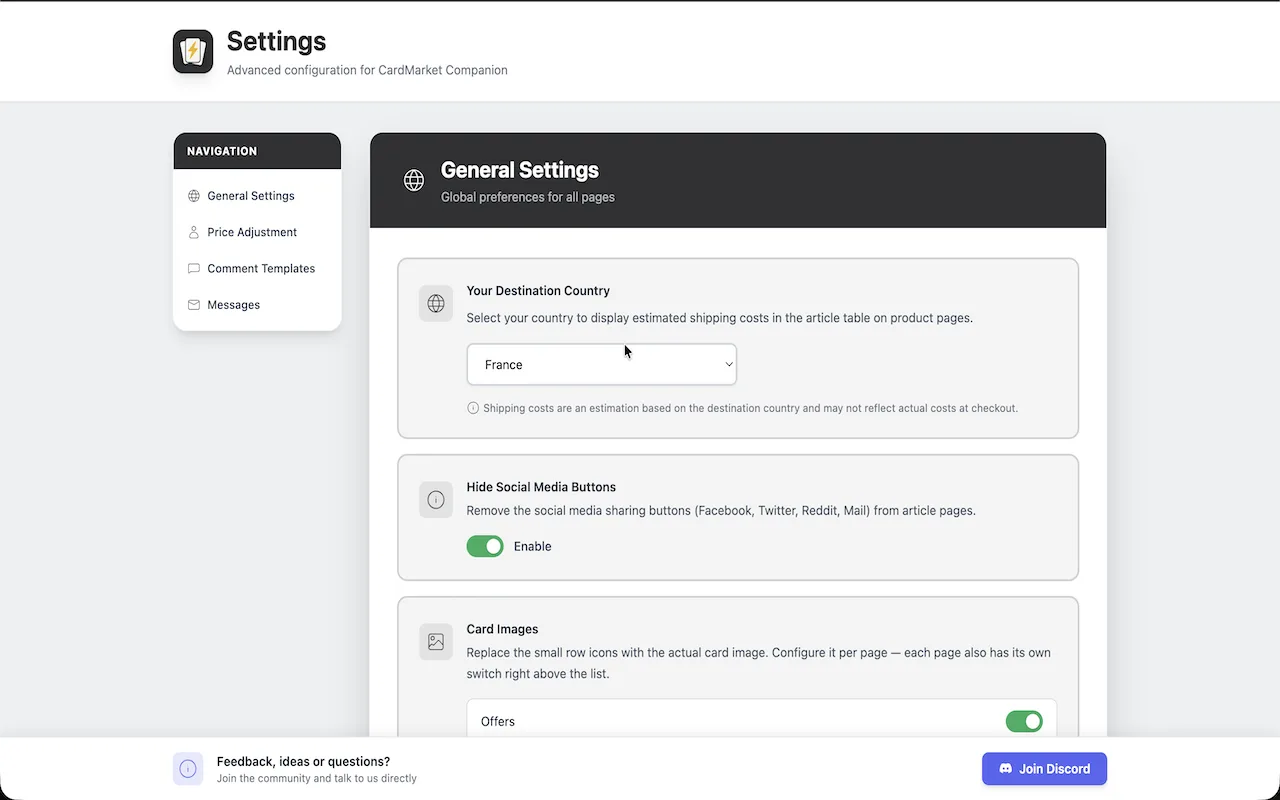
- The camera icon on each row is replaced with the actual card image, on Offers, Products, Wants, the Shopping Wizard, Orders. Spotting the right printing stops needing five tabs.
- A switch per pagesince 0.6
- Each of those page types has its own on/off toggle in the options. Art on a card page is useful; art on a 500-row want list is not always what you want.
Setup and small comforts
Configured once in the options page, then forgotten about.
- Message signature
- Write your sign-off once and it is appended to the messages you send from Cardmarket.
- Hide the social buttons
- Cardmarket puts share buttons on card pages. If you would rather have the space, turn them off.
- Release notes after an update
- A short note in the browser tells you what changed, instead of features appearing without explanation.
- Discord and direct feedbacksince 0.6
- A Discord button in the extension, and a feedback form that reaches the developer. Most of the list above started as somebody's request.
Which games it works with
All of them. The extension works on the Cardmarket pages themselves, not on a per-game database, so Magic: The Gathering, Pokémon, Yu-Gi-Oh!, One Piece, Lorcana, Flesh and Blood and everything else on the site behave the same way. Same for country domains: it runs on whichever regional version of Cardmarket you use.
Free, and it works on the first card page you open.
Still unsure about something? The FAQ covers privacy, browsers and how the pricing modes differ.
Works on Edge too. No account, no sign-in.